How to set up an IPv6 connection on TP-Link ISP-customized devices
Introduction
If your ISP has provided internet that supports IPv6 connection as well as some detailed IPv6 parameters, you can manually set up an IPv6 connection.
Configuration
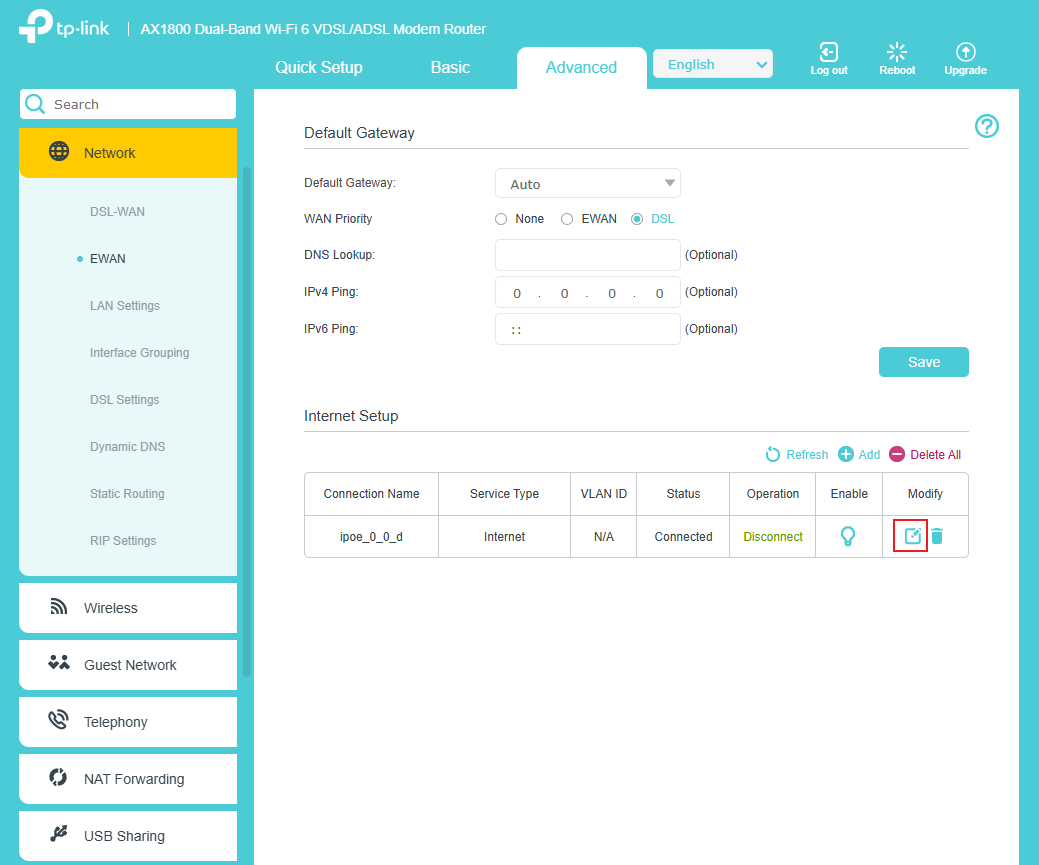
Step 1. Go to Advanced > Network page, select the WAN connection you want to use, then click Edit.
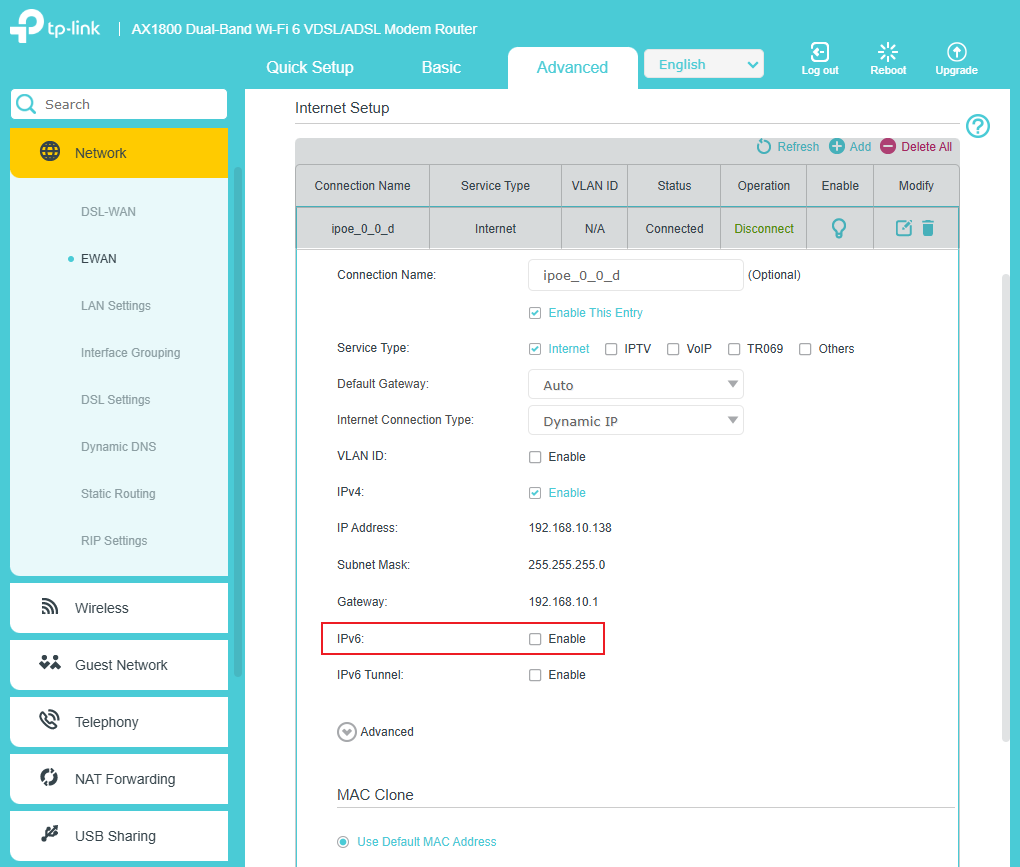
Step 2. Enable IPv6.
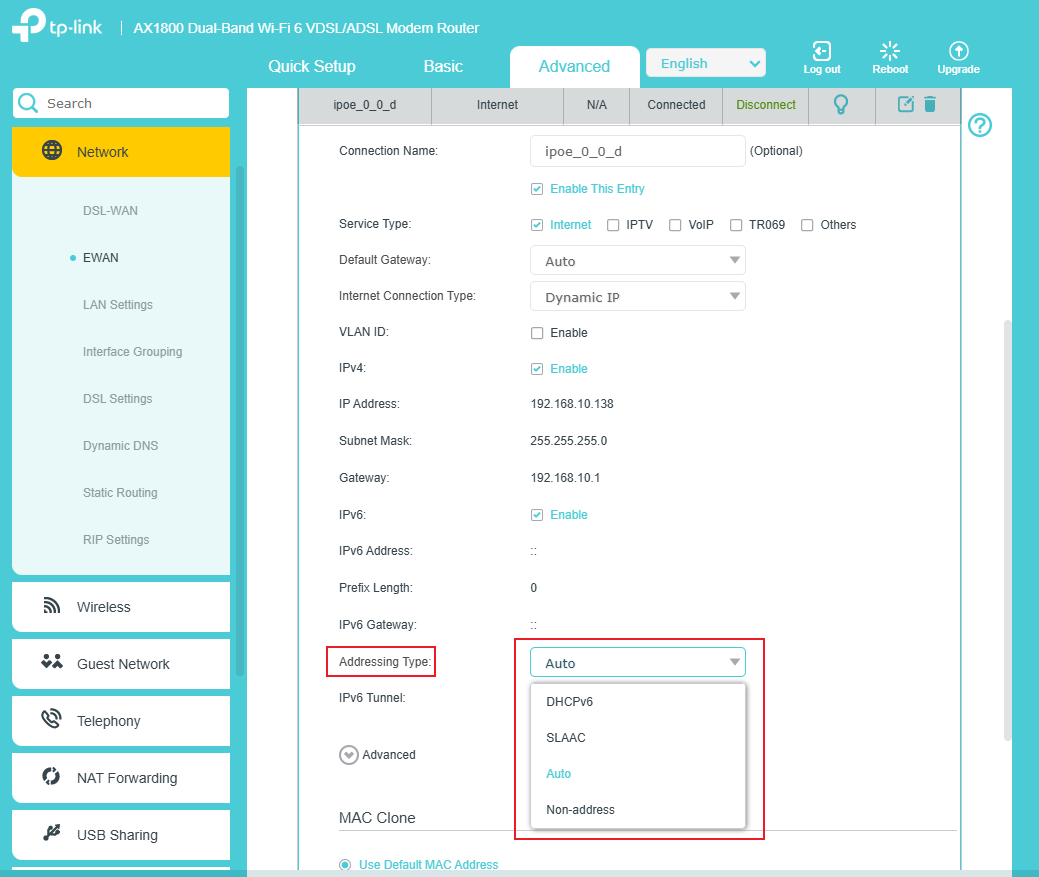
Step 3. Select Addressing Type. (Consult your ISP for this information)
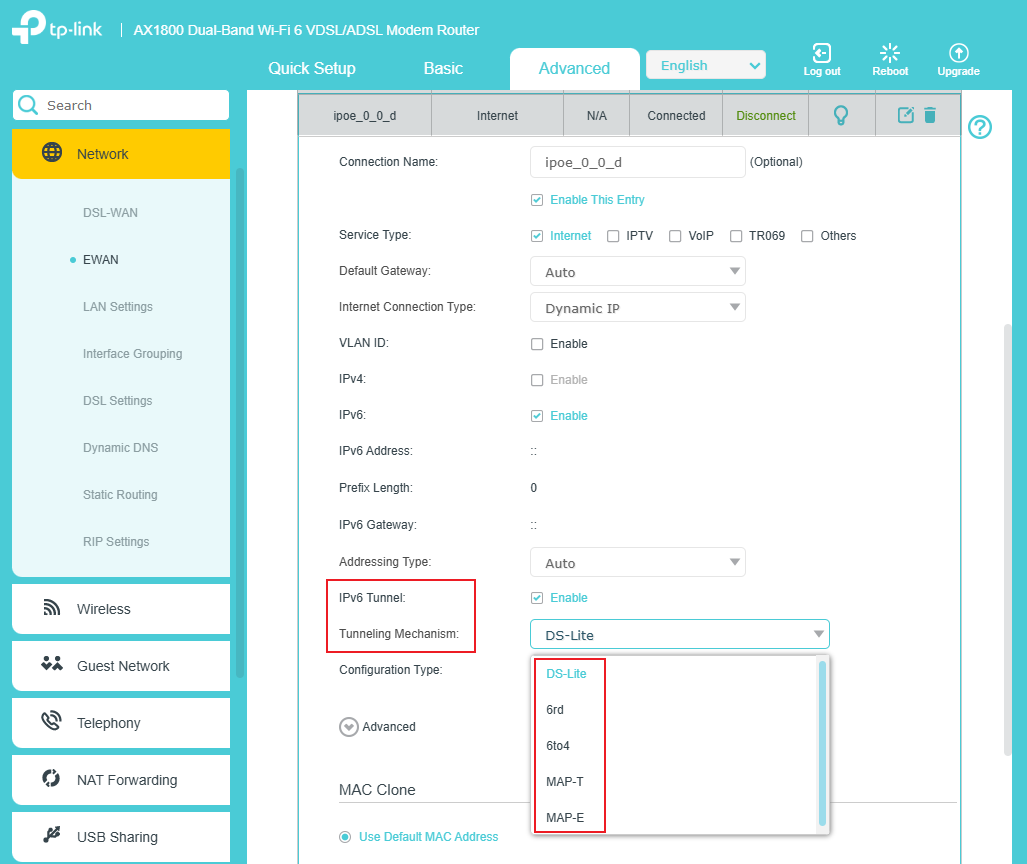
Step 4. If you need to use IPv6 Tunnel, enable it and select Tunneling Mechanism. (Consult your ISP for this information)
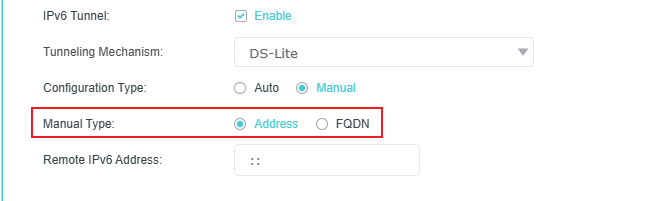
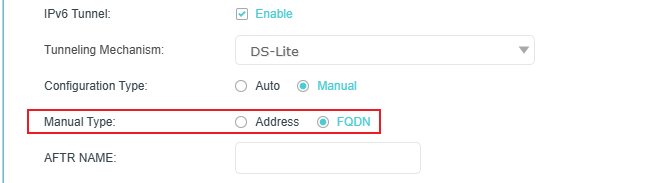
Step 5. Choose Configuration Type. If you select Manual, you should select Manual Type and fill in the relevant information. (Consult your ISP for this information)
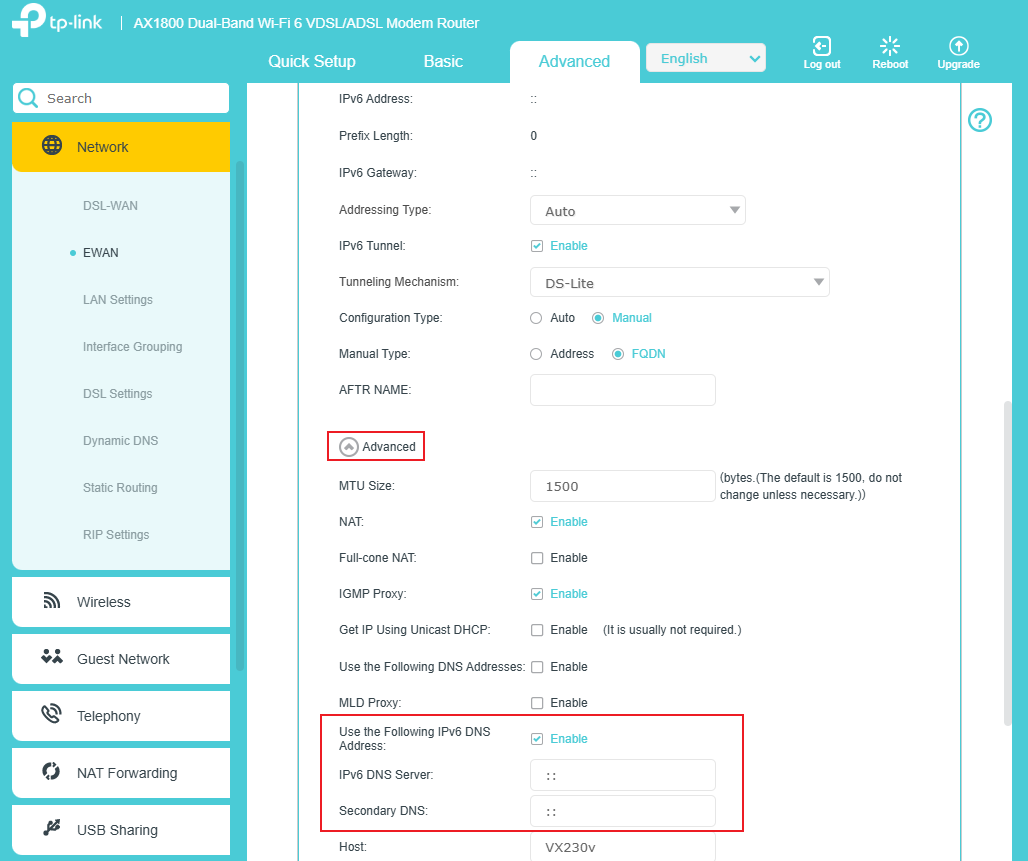
Step 6. If you need to use a specific IPv6 DNS server, configure it in the Advanced settings.
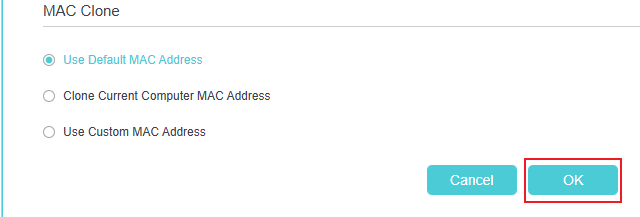
Step 7. Click OK to apply the settings. Now IPv6 service is available for your network.
Get to know more details of each function and configuration please go to Download Center to download the manual of your product.
