How to find serial number on TP-Link devices
Introduction
Every TP-Link product has a unique serial number (S/N), which is required when registering on the website or applying for an RMA case number. They can only be 11/12/13 hexadecimal digits.
This article will guide you to find the serial number of your TP-Link device.
Application
Method 1: Look over the box
You can find the serial number on the device’s box.
We take the Tapo RV20 as an example:
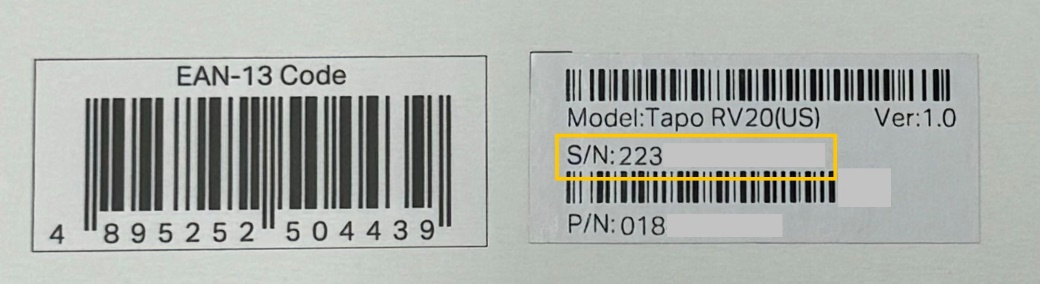
Note: For some products, smart bulbs like LB xxx, Antennas, some Mini routers (like TL-WR702N), or some wireless adapters (like Archer T1U, Archer T2U, Archer T2U Plus, Archer T3U, Archer T3U Plus, Archer T4U V1&V2, TL-WN723N, TL-WN725N, TL-WN823N, etc.), there is no label on the product itself.
Method 2: Look over the device label
You can find the serial number on the device’s label.
For most products, please turn the device over; you can see a label on the back. It is usually started with “S/N:” or marked as “Serial Number”.
We take the Deco as an example:
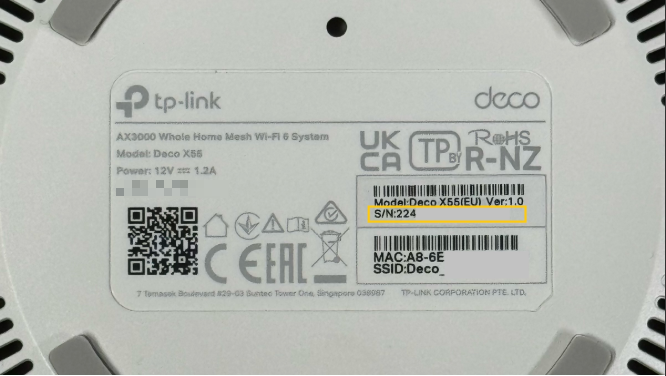
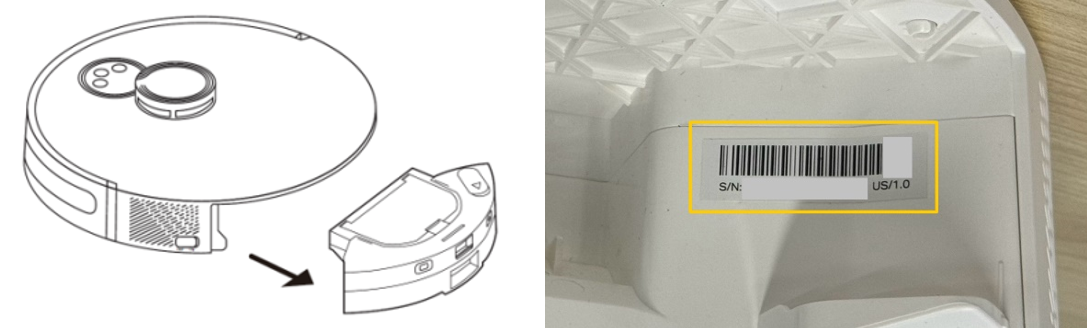
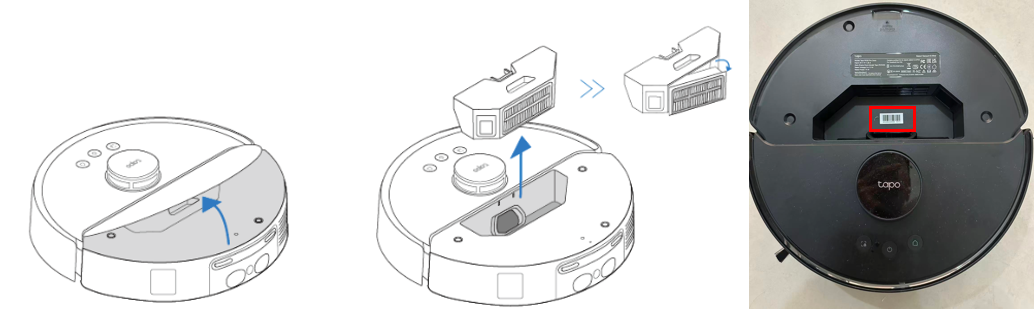
Note: The Tapo Robot Vacuum's serial number is not on the bottom label; you will need to remove the dustbin/water tank to find it.
- For Tapo RV20/RV30/RV20 Max/RV30 Max
- For Tapo RV50 Series
Get to know more details of each function and configuration please go to Download Center to download the manual of your product.
