How to Register a Product on TP-Link Product Registration System
01-27-2021
510345
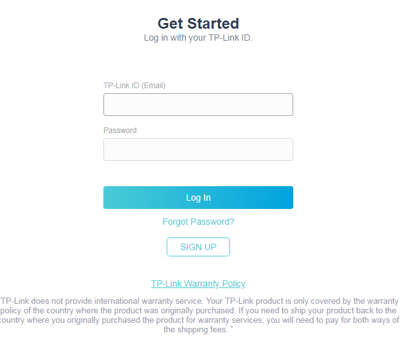
Step 1: Log into the Product Registration System: https://myproducts.tp-link.com/uk/login
*If you have not yet created a TP-Link ID click here.
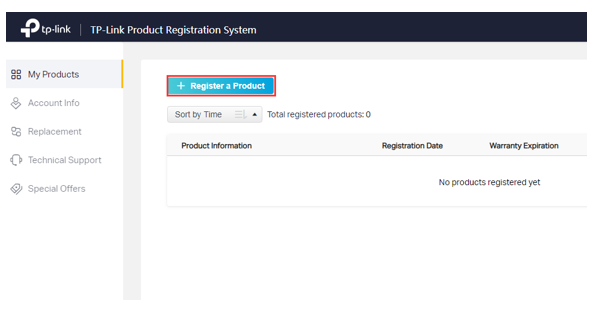
Step 2: Click on Register a Product.
Step 3: Enter the serial number and place of purchase in the registration form, the product model will populate automatically. If you have proof of purchase, upload it during this step, this allows you to enter a purchase date as well. Check the box to confirm you understand and agree to the terms and conditions of the TP-Link Warranty Policy, then click Submit.
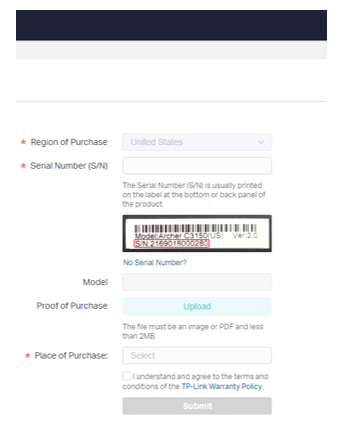
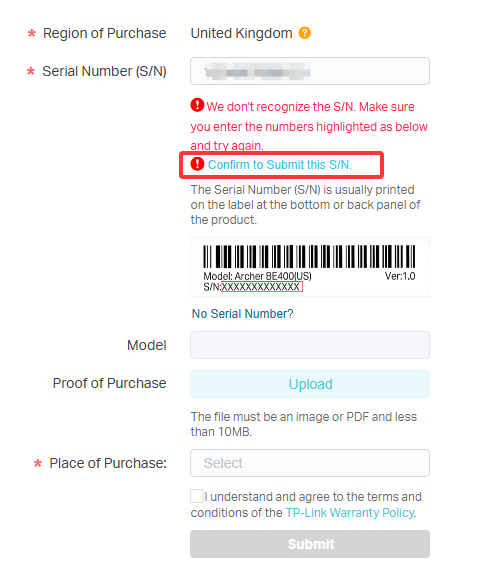
- If you see the error “We don’t recognize the S/N”, make sure the product was purchased from an authorized TP-Link reseller in the United Kindom and that the serial number is entered correctly. Once confirmed, click Confirm to Submit this S/N and continue registration.
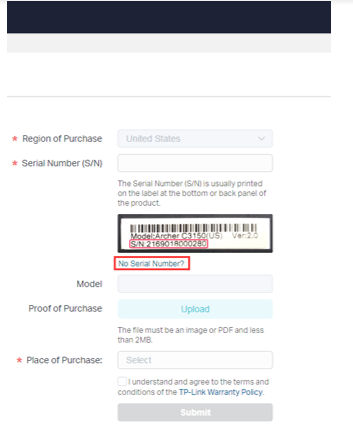
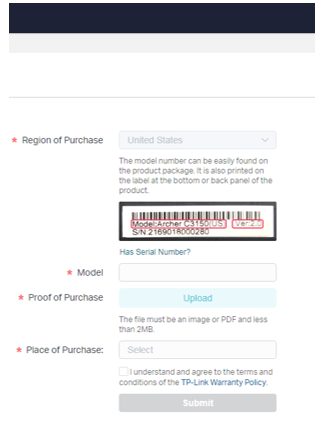
- If your product does not have a serial number, such as the USB adapter, click No Serial Number? Then enter the product model, upload proof of purchase, select the place of purchase, enter the purchase date, and click Submit.
To view your products, go to the My Products page
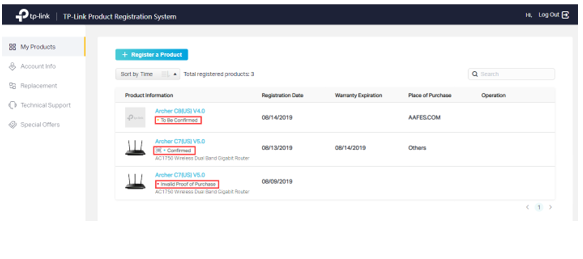
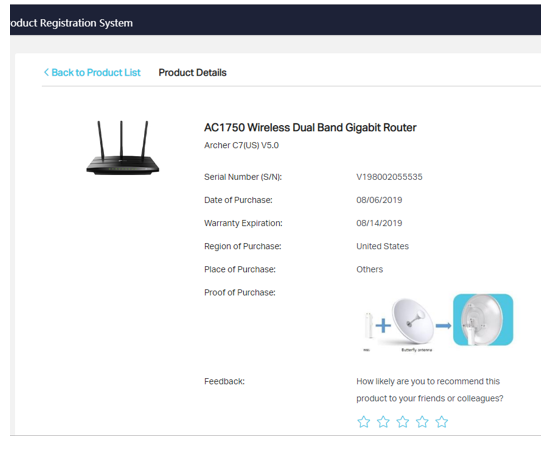
To view more details about a specific product, click on the blue color model number under ‘My Products’. Product Details will be listed here.