LED feature of Deco
01-17-2017
331648
There are two ways to control the LED light on the Deco, and you can do so either through the Deco app or Amazon Alexa.
Case 1: Through the Deco App
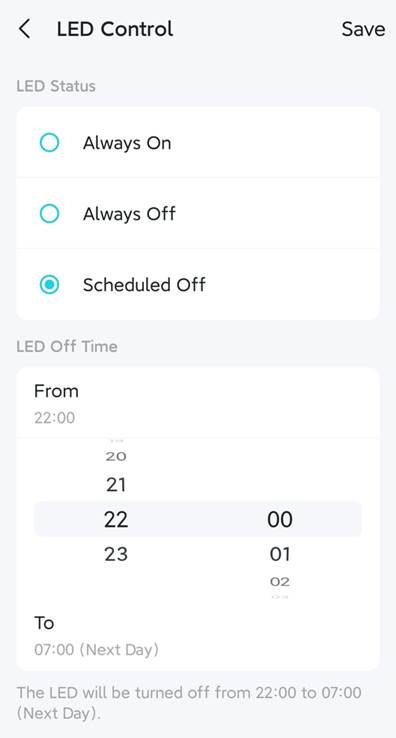
Step 1. Log in to the Deco app, and tap More > LED Control.

Step 2. Choose a LED Status. By default, the LED will be always on. You may select Always Off to turn off the LED completely, or specify a period for the LED to be off, then tap Save to apply the settings.
Case 2: Through the Amazon Alexa
If you want to control the LED light through Alexa, please refer to the link to enable the TP-Link Router Skill in the Alexa app, after that, you can control the LED light on the Deco with specific commands(For the detailed information, please refer to the link).
If you need more help, it’s suggested to contact TP-Link support.
